Docs

How can we help you?

Get help straight from the team at POP Tracker...

Agency User Guides

Add Display

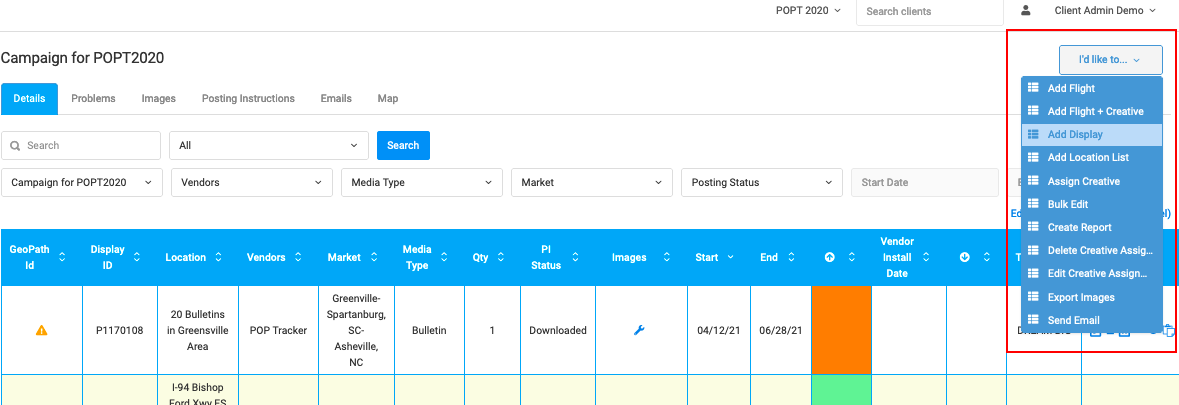
You can add a single display to an existing campaign using the "I'd Like To" drop down on the top right hand corner of the Campaign Details screen > "Add Display"

Last updated on 29 Nov, 2021

Image


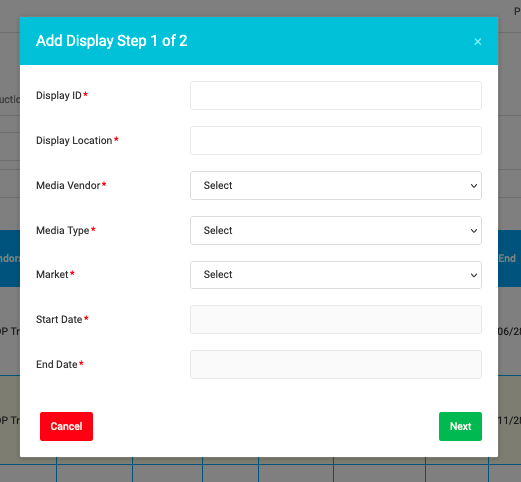
Fill in all of the fields in the Add Display pop up and press Next. OPTIONAL: after clicking Next, you can add more details to the unit with the rest of the fields OR click Save once you're done. The following data fields are mandatory:

  • Display ID

  • Location

  • Market

  • Media Vendor

  • Media Type

  • Start Date

  • End Date

Image


POP Tracker Support - support@mypoptracker.com

Image
Did you find this article helpful?
Previous

Tips for Agency Users

Next