

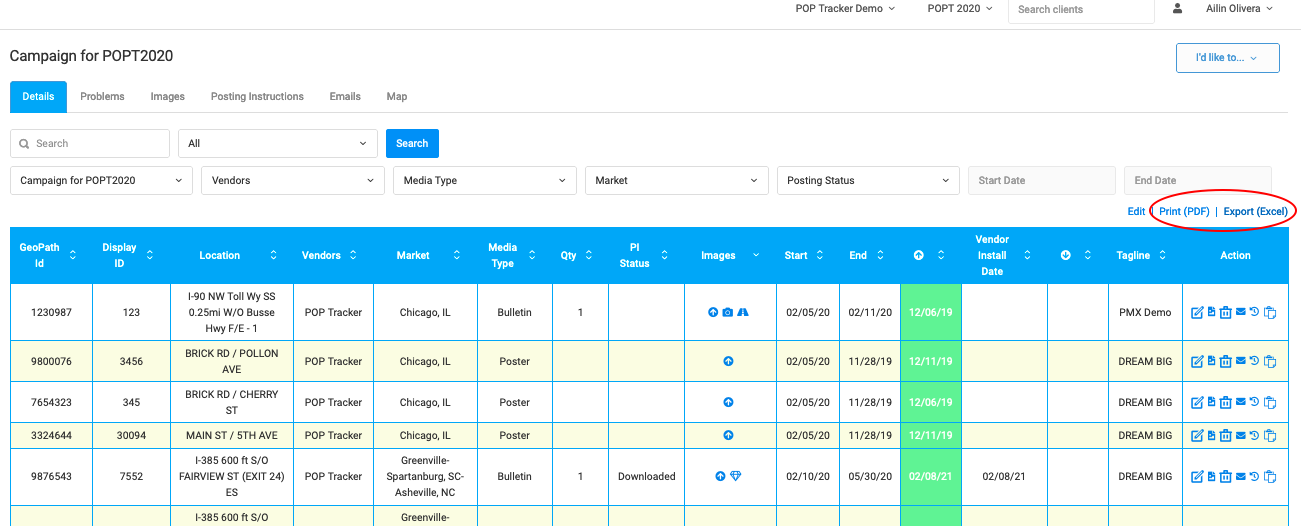
Exporting data is available from each campaign detail screen. On the right corner above the chart details, users can export an a Microsoft Excel file (.xlsx) or a PDF format of the campaign data.
Excel export include link to any images collected and appended to the campaign (installation, webcams, glamour, etc.). The PDF export include thumbnails of any images in the campaign.
Please note that the export function selects data in the current view. (i.e.: if you filter on Media Vendor to select a single company then select Export, your file will contain only data for that single Media Vendor).
POP Tracker Support - support@mypoptracker.com