

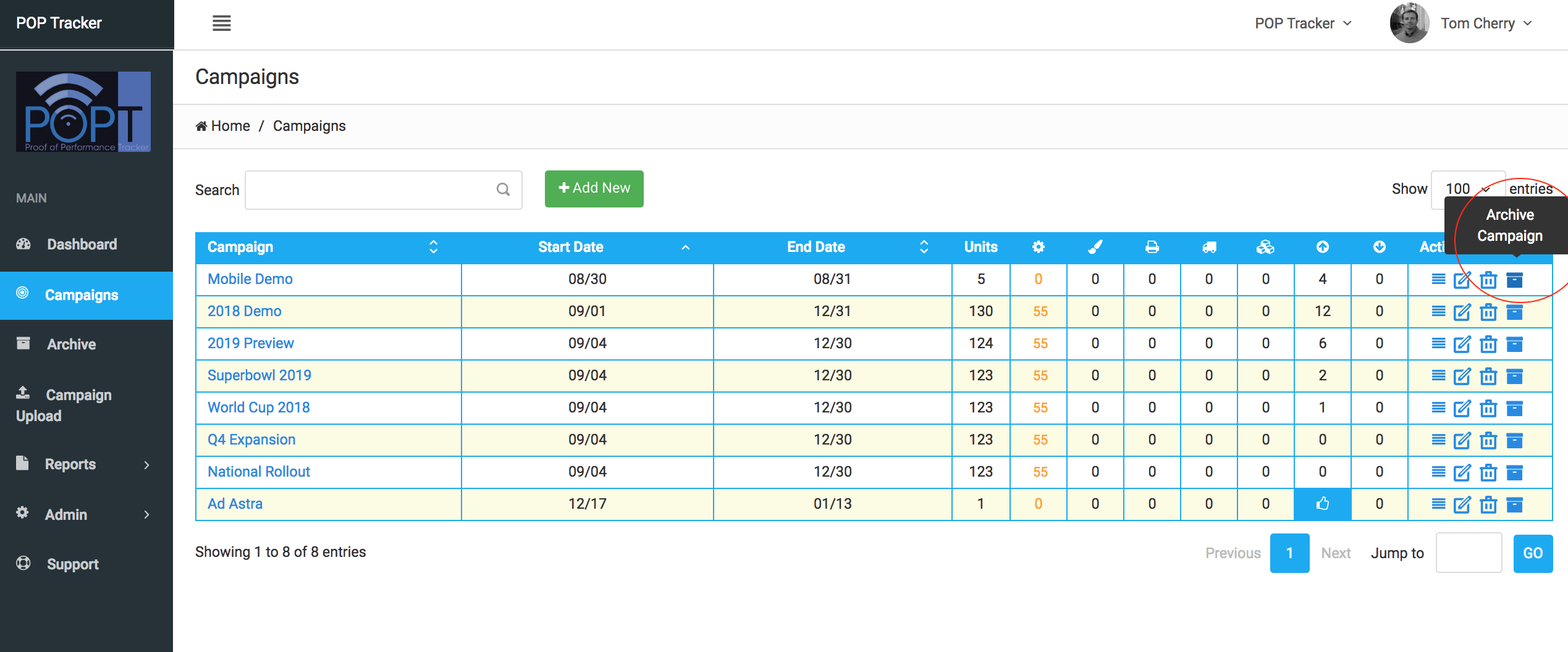
Campaigns can easily be moved to the Archive once complete, where they are stored indefinitely. In order to archive a campaign, select Camapigns from the left hand navigation to access the Campign List screen. On the right hand side you will see a box icon and when hovering over that icon, the description Archive Campign appears.
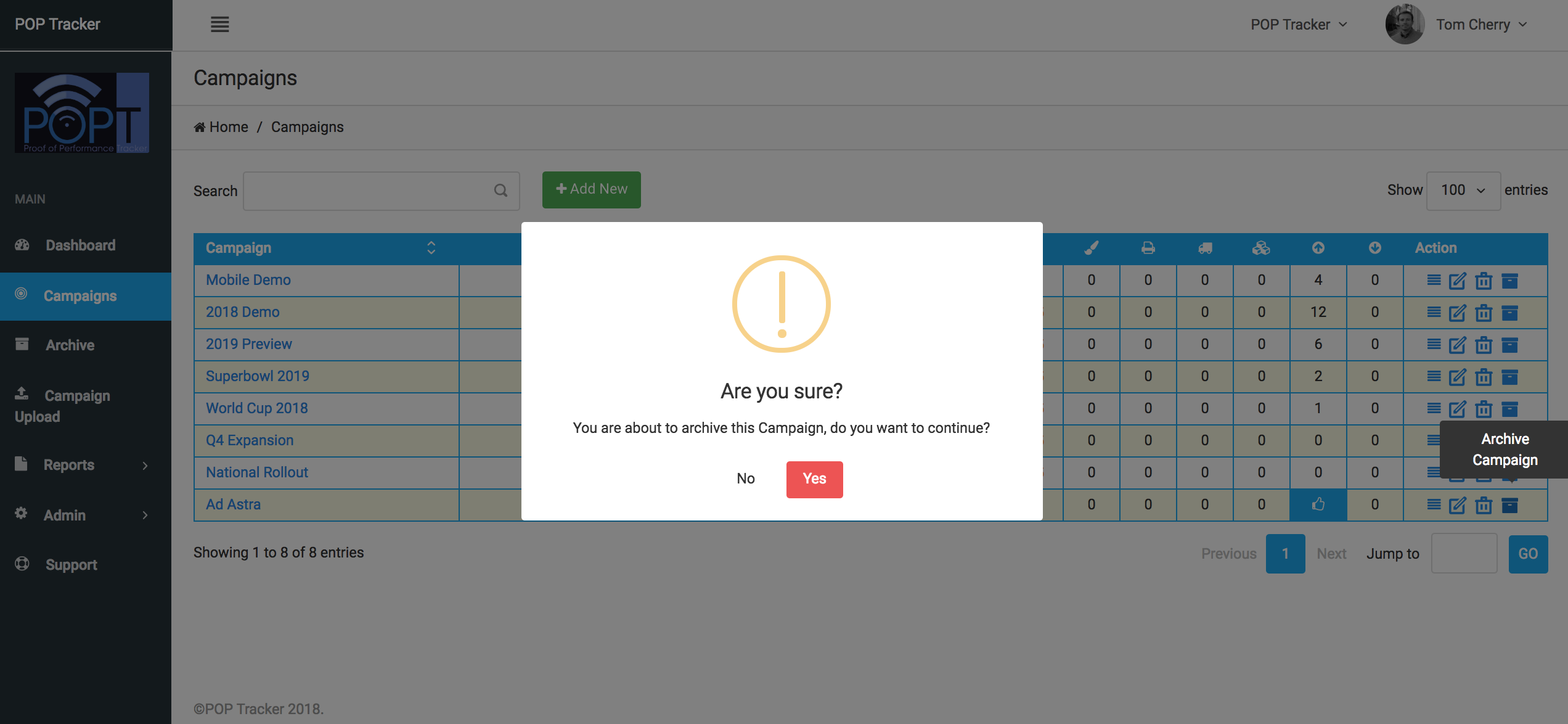
Pressing the box icon will generate a popup window asking you to confirm you would like to archive the Campaign. Press Yes to confirm.
Campaigns in the Archive can easily be retrieved and restored to the Active Campaign state for reporting or editing.
POP Tracker Support - support@mypoptracker.com