

1. Log in: First, log into your account on the site.
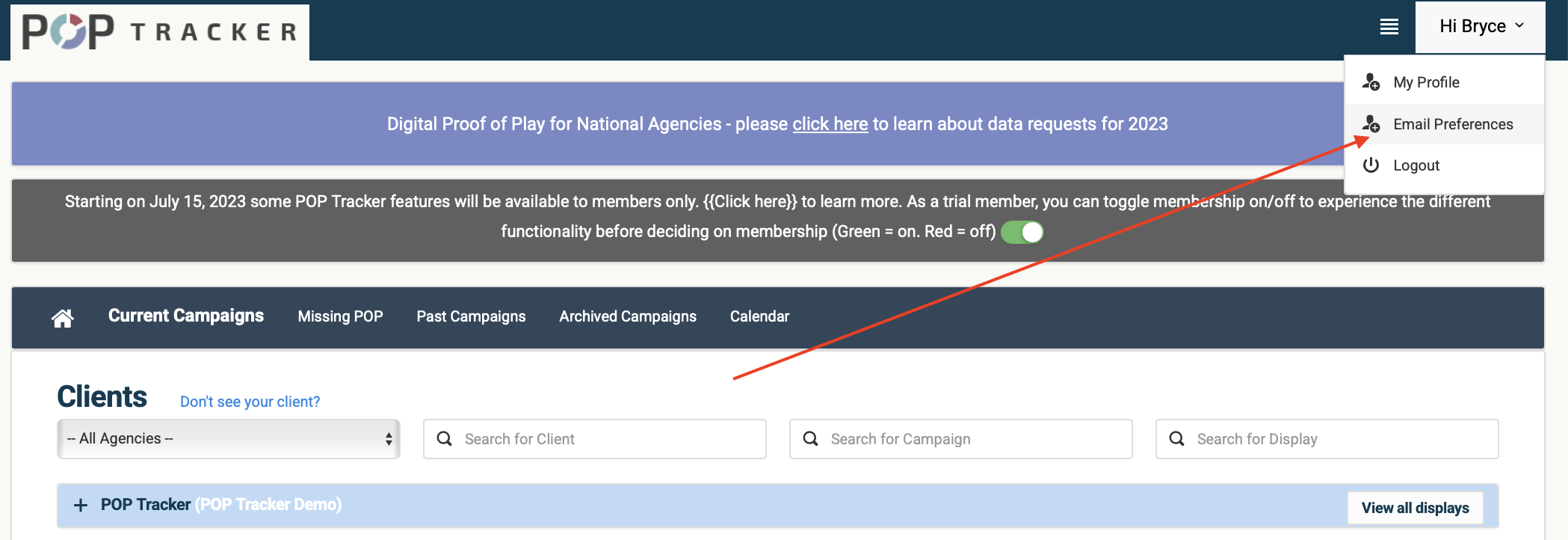
2. Access Email Preferences: In the top right corner, click the dropdown arrow next to your name and select 'Email Preferences.'
3. Manage Your Notifications:
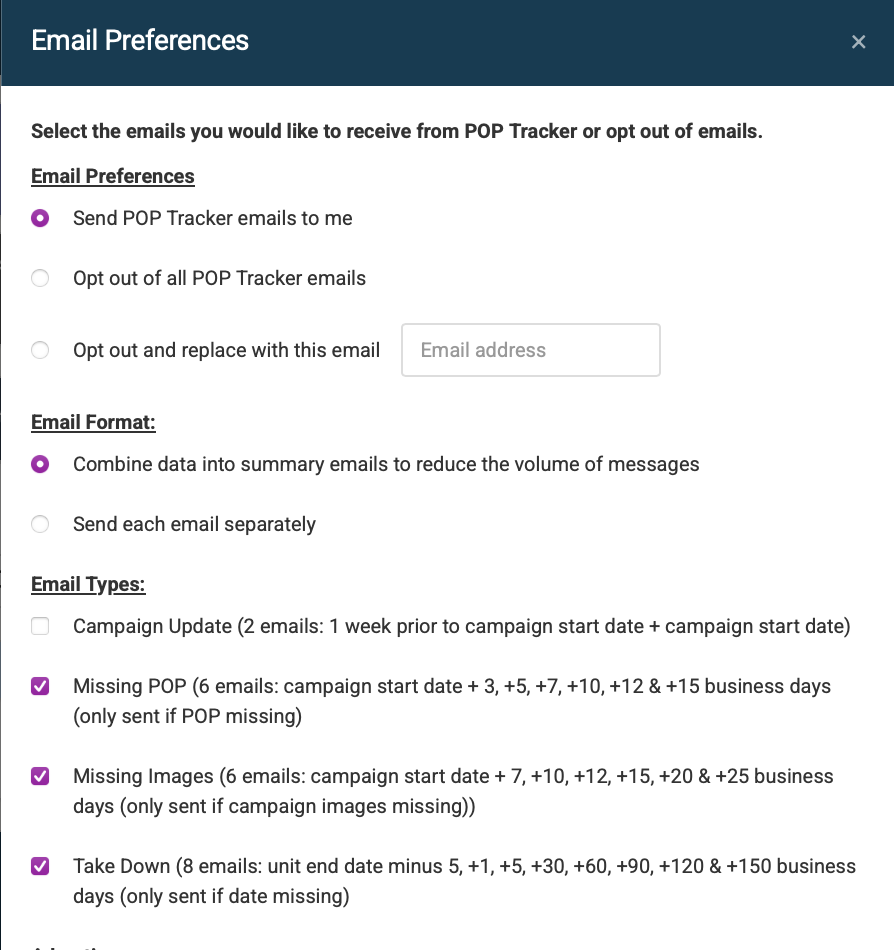
In this pop-up, you can choose to opt-out of all emails or provide an alternate email address.
We know you receive many notifications, so you can choose to receive individual emails or a daily summary.
Select the types of emails you want: Campaign Updates, Missing Data, or Take Downs. Simply check or uncheck the boxes.
Further refine your notifications by applying filters. You can narrow them down by client, market, or media format.
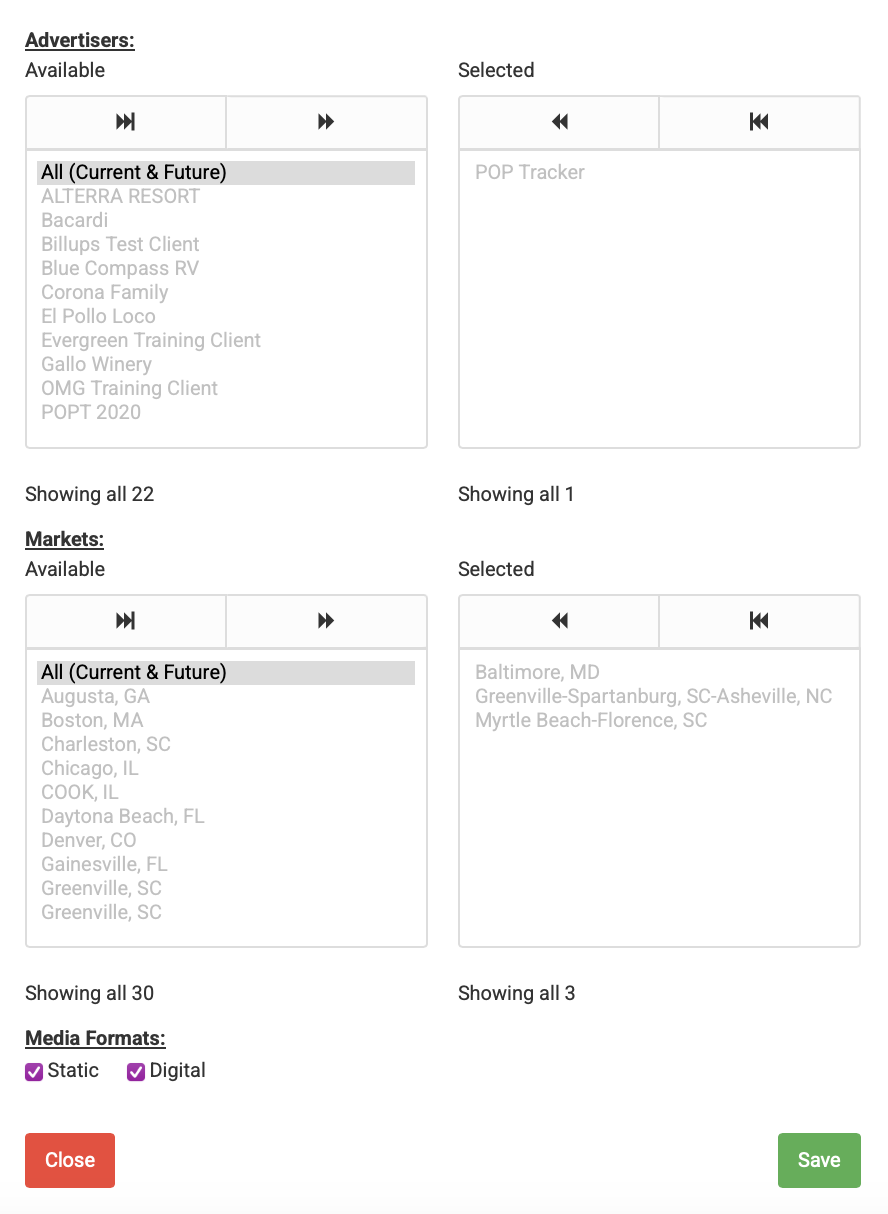
4. Save Your Changes: Remember to click 'Save' to apply your preferences.
POP Tracker Support - support@mypoptracker.com