

In every campaign, the agency can attach up to 2 vendor contacts. This activates automated email notifications from POP Tracker requesting for different POP data.
To change the contact, you can request the agency to make the changes OR you can log into our website access and change it using the following steps:
1. Log into POP Tracker and open the campaign.
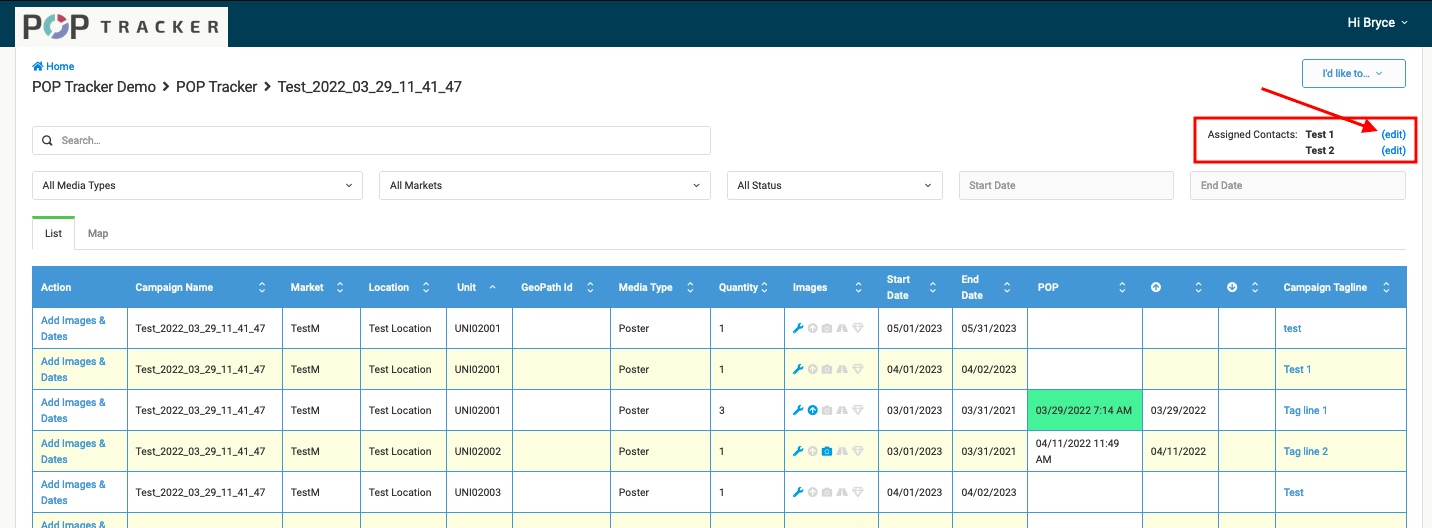
2. Below the 'I'd Like To' drop down, we list the "Assigned Contacts" within the campaign. Next to each name you'll see an edit option which will allow you to make changes to the contacts.
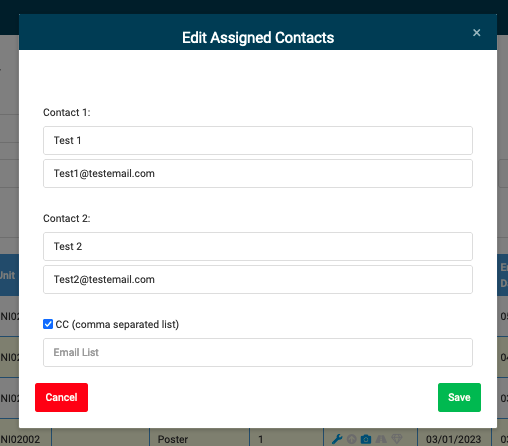
3. After clicking "(edit)", you'll see a pop-up that allows you to change the name and email for contacts 1 & 2. You can also CC other email addresses to add more contacts to the campaign.
POP Tracker Support - support@mypoptracker.com