

Can't find the posting instructions for a campaign in your inbox but you know they have been issued? Follow these instructions to download the most recent instructions directly from your login.
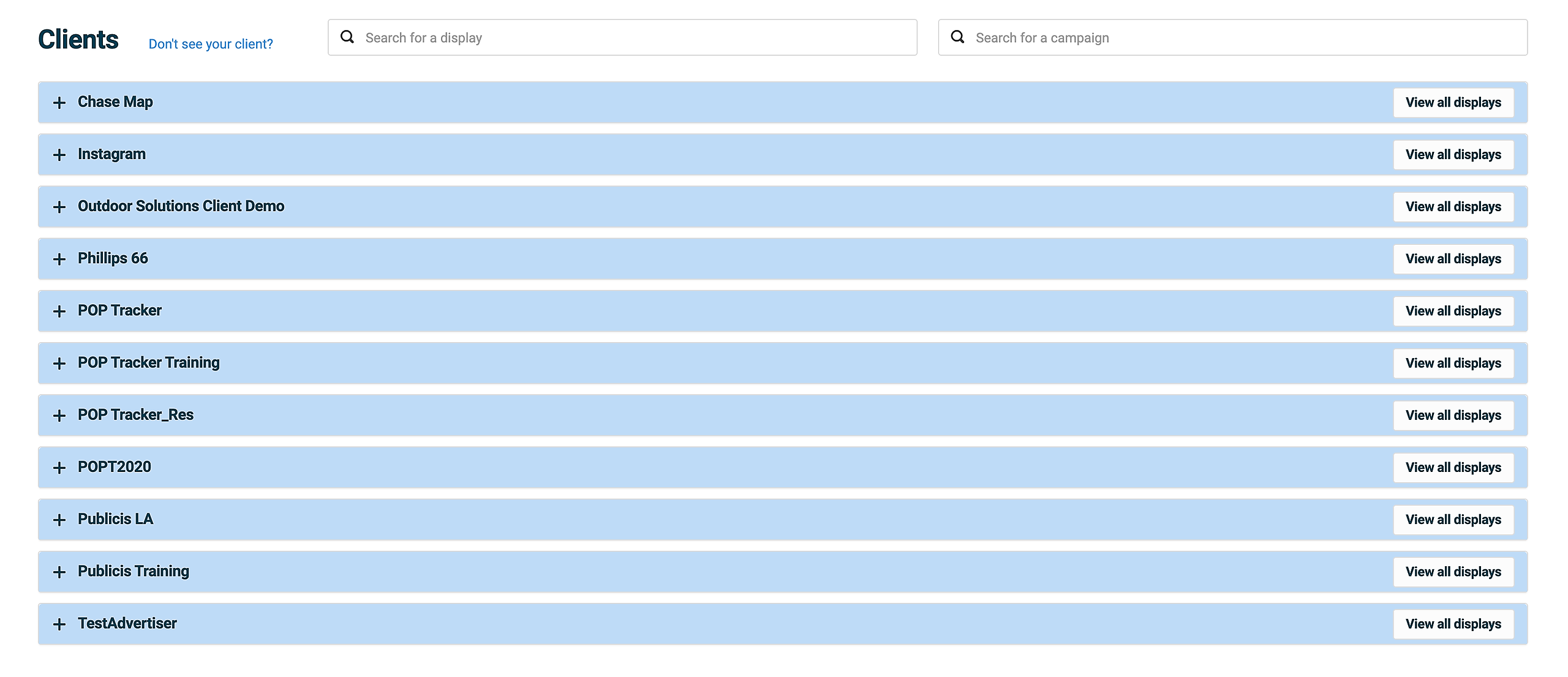
1. Select the Advertiser/Client you need Posting Instructions for.
Tip - Do not click on View All Displays as this will bring up all units for all campaigns currently in the system for this advertiser.
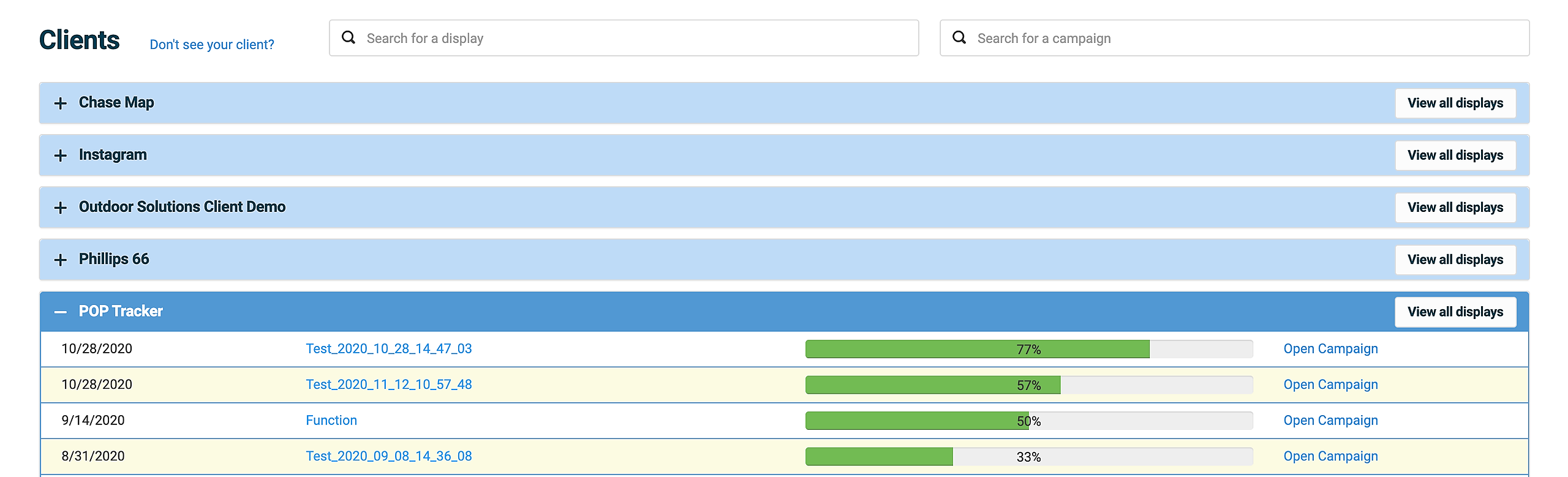
2. From the available Campaigns, select the Campaign you need Posting Instructions for.
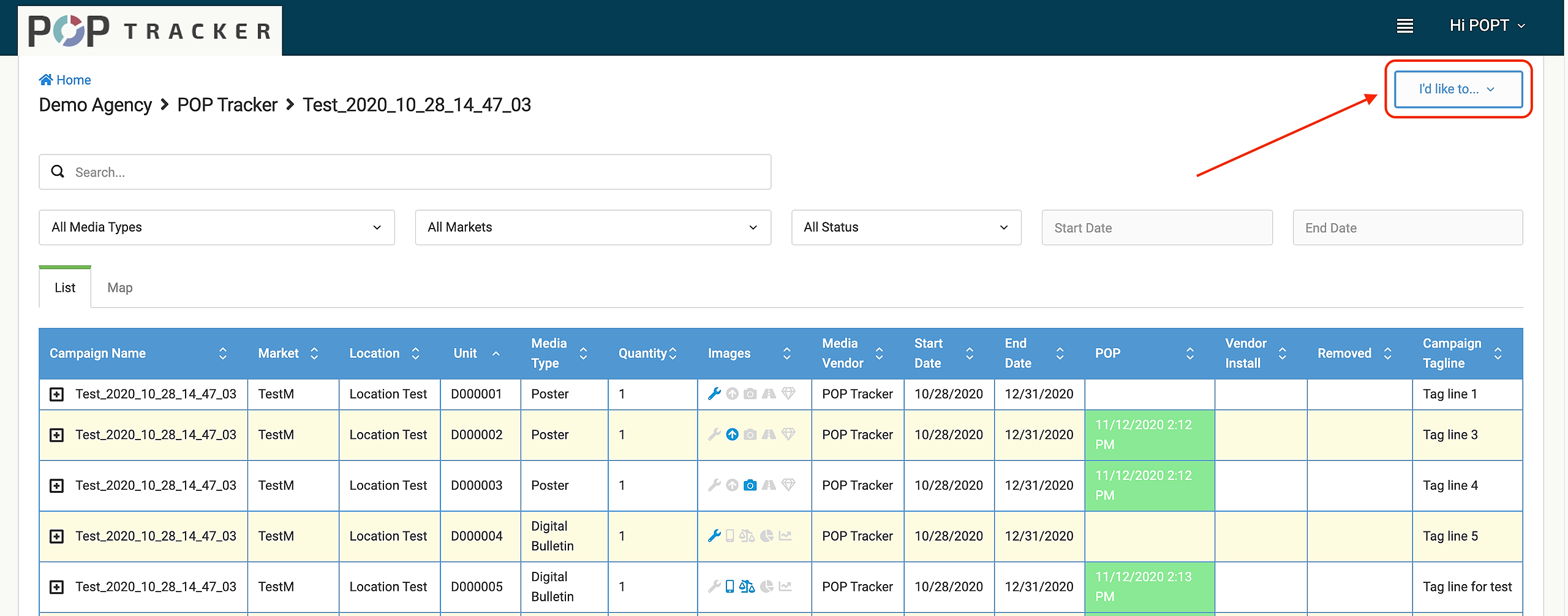
3. With the available units on the screen click on the I'd Like To... dropdown in the upper right hand corner.
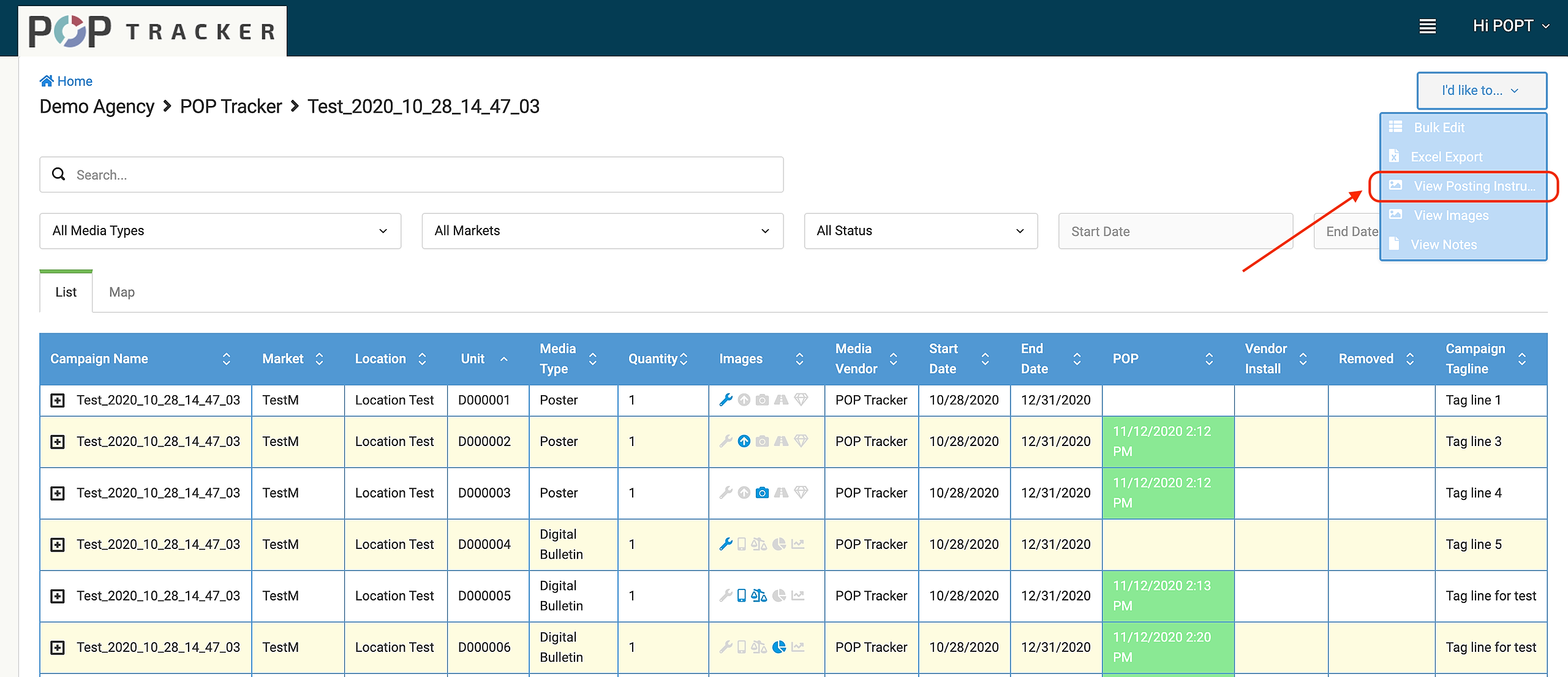
4. Select View Posting Instructions.
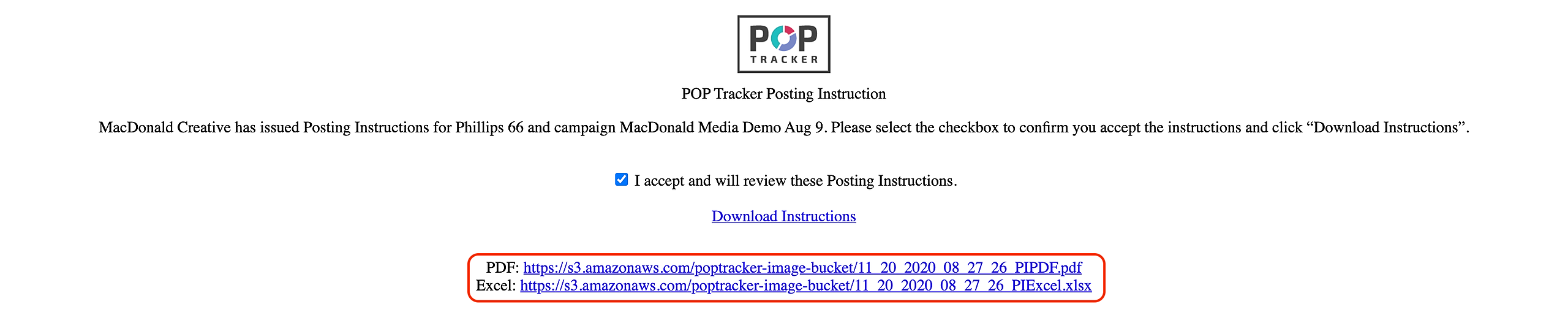
5. From here you will see the page to download the Posting Instructions. Click on the I accept... box and then Download Instructions.

6. Select the format and download the Posting Instructions.
POP Tracker Support - support@mypoptracker.com