

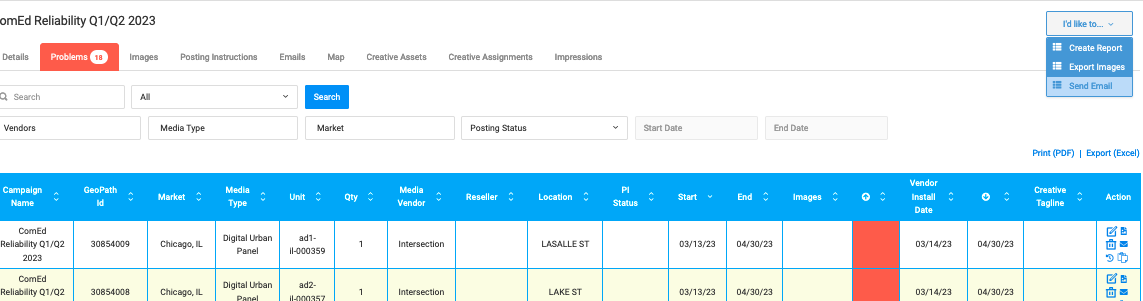
Problems tab identifies all the units that require attention. The tab turns red with the number of issues. POP Tracker lists all of the units missing images outside of the posting window (Static: 5days after start date / Digital: 1day after start date).
POPT recommends using the Send Email feature to help troubleshoot. Send an email to your vendor contacts for each campaign requesting for images or ETA on proof. Here's a full user guide about Sending Emails from POP Tracker.
Monitor your custom emails through the Emails tab to track email status.
POP Tracker Support - support@mypoptracker.com